When it comes to managing client inquiries and communication, many of us struggle with finding a streamlined, effective process that works. It’s not just about getting back to clients promptly — it’s about making sure every detail is covered, nothing falls through the cracks, and your whole workflow feels repeatable.
Today I’m sharing my top strategies for managing clients from first inquiry to project completion. First, I’ll walk you through the general process (tool-agnostic so you can apply it to whatever you’re using), and then I’ll show you exactly how I do it with the Fluent ecosystem on my WordPress-based setup.
“The One With Client Management”
Let’s use Joey as our example throughout this post — he’s inquiring about a new coaching website and needs the whole ecosystem built out.
The General Process (What Every Web Designer Needs)
Step 1: Capture and Acknowledge the Inquiry
The moment a potential client reaches out, your system needs to go to work. Here’s the baseline process:
- Use a structured inquiry form so clients provide the details you need upfront — no back-and-forth just to get the basics
- Send an immediate confirmation email so they know their message landed and what to expect next
- Redirect them somewhere useful after they submit — a page that explains your process, sets expectations, and keeps them warm while you review OR a booking page to schedule a Discovery Call.
This shows professionalism from the very first touchpoint. Joey submits your form, is immediately redirected to a booking page to schedule his Discovery Call, and gets a confirmation email with the scheduling link as a backup. Done — no extra steps, no back-and-forth.
Step 2: Schedule the Discovery Call
Once the inquiry is captured, the goal is simple: get them on a call.
- Send a scheduling link in your confirmation or follow-up email — make it one click, not a back-and-forth
- Track every inquiry in a pipeline so nothing gets lost or forgotten
- Set automated follow-ups for people who don’t book right away — gentle nudges keep leads warm without you lifting a finger
Step 3: Send the Proposal + Agreement
The discovery call went great? Time to make it official.
- Customize the proposal with the client’s name and their specific project details — personal touches matter
- List every service clearly with individual pricing so there are no surprises
- Include optional add-ons so clients can choose what fits (Joey ended up adding a lead magnet setup to his package)
Step 4: Set Up the Project and Keep Things Moving
Once the agreement is signed, it’s time to get the project off the ground. Some of this is automated, some is a quick intentional step on your end — and that’s perfectly fine.
- Set up the project in your project management system using a template so the structure is ready to go with minimal effort
- Create and send the invoice — whether that’s manual or through your payment processor, get it out quickly
- Make sure follow-up reminders are in place so milestone check-ins and next steps don’t fall through the cracks
Not everything has to be fully automated to be efficient. A repeatable process with a good template is often just as fast — and gives you a moment to review before diving in.
Step 5: Keep Communication Clear Throughout the Project
This is where a lot of designers drop the ball. Ongoing, structured communication is what separates a “meh” experience from a “I’m sending everyone to you” experience.
- Use email templates tied to project stages so your messages are timely and relevant — not written from scratch every time
- Send a strategy questionnaire before the kickoff call to gather what you need
- Do regular check-ins — automated touchpoints handle the routine, but a personal check-in builds trust
How I Do It: The Fluent Ecosystem
Okay, now for the fun part. Here’s exactly how I implement this process using the Fluent suite of WordPress plugins — and why it’s the system I recommend every web designer look at seriously.
FluentForms Pro → Capture the Inquiry
Joey fills out a smart inquiry form built with FluentForms Pro. The form captures everything I needbefore I ever hop on a call. No back-and-forth.
FluentForms connects directly to FluentCRM and Notion, so the moment Joey hits submit:
- He’s added as a contact in my CRM
- His full inquiry submission is automatically sent to Notion so I have everything he shared ready for call prep
- He gets an automatic confirmation email
- He’s redirected to schedule a discovery call
- A tag is applied so I know exactly where he came from
Subject: Your inquiry is in — grab a time to chat and let’s see if we’re the right fit.
Thank you for reaching out! I received your inquiry and I’m excited to learn more about your business.
If you booked your discovery call when you submitted your form — you’re all set! I’ll see you then.
If you haven’t had a chance to schedule yet, grab a time using the link below. This 30-minute call is where we’ll talk through your goals, walk you through exactly what working together looks like, and make sure it’s the right fit before you commit to anything.
No pressure. Just a clear, honest conversation.
Schedule Discovery Call
FluentBooking → Discovery Call Scheduling
FluentBooking handles all my scheduling — no third-party tools, no extra monthly fees. The moment Joey submits his inquiry form, he’s redirected straight to my FluentBooking scheduler to pick a time. The scheduling link is also in his confirmation email if he doesn’t book right away. Once he picks a time, it lands on my calendar and a booking confirmation goes out automatically.
FluentBooking also:
- Connects back to his contact record so I have the full picture before we even talk
- Sends automated reminders before the call
- Triggers a follow-up sequence in FluentCRM if Joey doesn’t book within a few days
FluentCRM → Pipeline + Follow-Ups
FluentCRM is my operations hub. Every lead, every client, every project stage — it all lives here.
When Joey moves from inquiry to discovery call to proposal to active project, his pipeline stage updates automatically (or with one click on my end). That stage change can trigger:
- A new email sequence
- A tag applied to his contact record
- A task added to my to-do list
- His welcome email when he signs
No sticky notes. No “did I follow up with Joey?” panic. The system handles it.
FluentCart → Proposals, Agreements + Invoices
Once Joey says yes, FluentCart handles the transaction side — my services live right on my WordPress site as purchasable products, so Joey can select his package and pay directly. No third-party checkout, no sending him to an external platform.
The moment he completes his purchase:
- He gets an order confirmation and receipt automatically
- His contact record in FluentCRM is updated with the purchase
- His onboarding sequence kicks off automatically
It’s a clean, self-serve experience for the client — and zero manual invoicing on my end.
And Notion Holds It All Together
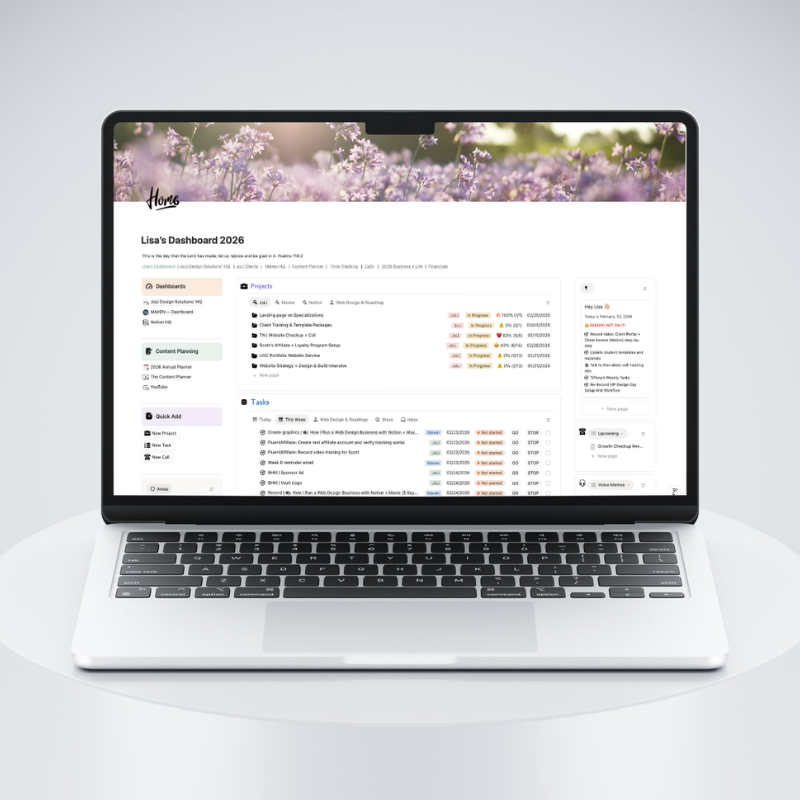
Fluent handles the client-facing side beautifully. But once Joey’s project is live, I still need somewhere to manage the actual work. That’s where Notion comes in.
Notion is my project HQ. It’s where the behind-the-scenes stuff lives:
- The project plan — phases, deliverables, and what “done” looks like for each one
- Task checklists — my repeatable project checklist that I duplicate for every new client
- SOPs and templates — so I’m not reinventing the wheel every time
- Client assets and decisions — links, content, design notes, and all those “where did we land on that?” moments in one searchable place
- Content planning — so blog posts, emails, and social content don’t live in 12 different tabs
Think of it this way: Fluent runs the client experience. Notion runs the business behind it.
When Joey signs his agreement, FluentCRM kicks off his welcome sequence. At the same time, I duplicate my project checklist template in Notion, drop in his project details, and I have a clear, step-by-step plan ready to go. No scrambling. No “wait, what’s next?”
And because everything is templated and reusable, the 10th client feels just as organized as the first.
The Result: A System That Runs Itself
Here’s what Joey’s experience looks like end-to-end:
- Fills out the FluentForms intake form
- Gets an instant confirmation + scheduling link
- Books his discovery call in FluentBooking
- Receives a personalized proposal
- Signs + pays through FluentCart
- Gets an automated welcome sequence from FluentCRM
- Receives a Content Workbook to complete before kickoff
- Moves through the project with structured check-ins at every stage
All of it connected. All of it on your WordPress site. No renting tools, no hoping three platforms play nicely together.
Key Takeaways
- Start with a structured intake form — gather what you need before the first conversation
- Automate the confirmation and scheduling — remove friction immediately
- Use a pipeline to track every lead — nothing falls through the cracks
- Tie your agreements and invoices to your CRM — one action triggers the next
- Build email sequences for every stage — communication should feel personal, not manual
- The Fluent ecosystem does all of this inside WordPress — no extra platforms, no monthly fees stacking up
The goal isn’t to make your process complicated. It’s to make it so repeatable that you could take a week off and your system would still be working for you. That’s the whole point of building your business on systems instead of memory.
If you’re a web designer who’s tired of cobbling together five different tools that don’t talk to each other, the Fluent ecosystem is worth a serious look — especially if you’re already on WordPress.
Want to go deeper on the Fluent ecosystem? The Fluent Files is where I share exactly how I build, connect, and automate with Fluent — from CRM setups to booking flows to the automations that keep projects moving.