Before You Automate: Free Workflow Readiness Guide for Notion
A free guide for web designers who want to build smarter workflows — before they touch a single automation.
give me the guide →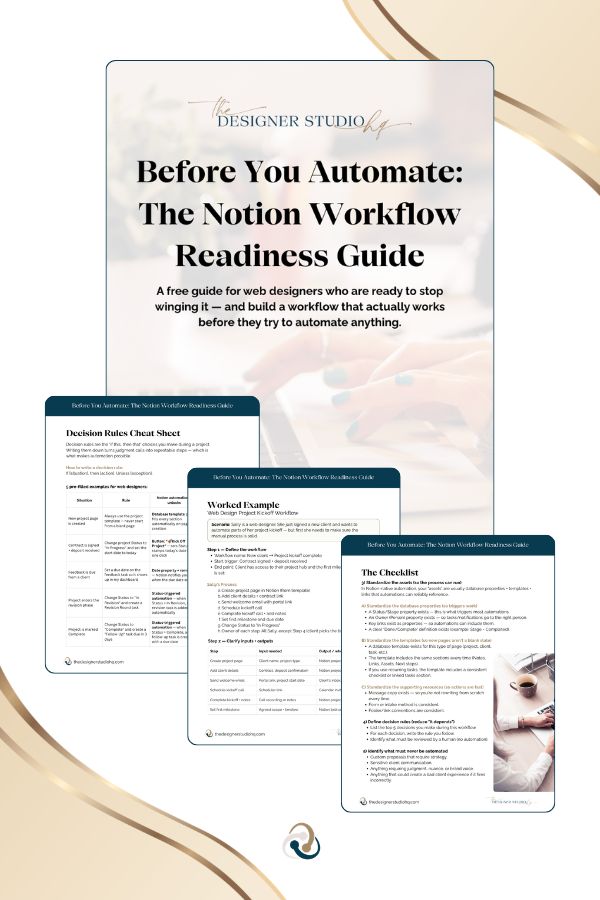
The Problem With "Just Automate It"

Automation doesn't fix a broken process. It just makes the broken parts happen faster.
You hear “automate it” and you dive in — and then the automation just faithfully reproduces the chaos on a schedule. The wrong email fires. A step gets skipped. Something triggers that shouldn’t. And now you’re doing more cleanup than if you’d just done it manually.
(Been there. 🙋🏽♀️ This was absolutely me before I figured this out.)
If your client workflow lives in your head, across three Google Docs, and a prayer — automating it won’t help. The problem isn’t that you haven’t set up the automation yet. It’s that the workflow isn’t ready for one.
That’s exactly what this guide helps you fix.
What's Included In My Workflow Readiness Guide?
📄 The Workflow Readiness Guide
⚙️ The Workflow Readiness Planner
Your Workflow Readiness Process
- Define the workflow — name it, map the steps, and identify who owns what
- Clarify your inputs + outputs — what do you need to start? What do you produce at each step?
- Standardize your assets — templates, properties, and supporting resources so automations have something reliable to trigger on
- Write your decision rules — turn your judgment calls into repeatable steps
- Run the readiness check — find out if your workflow is actually ready before you build
- Choose what to automate first — if it passes the check, here’s where to start in Notion
✨ What you'll walk away with
Everything you need to stop guessing
and start building.
- 📋 A repeatable framework for mapping any workflow in your business, so nothing gets automated before it's ready
- 🔍 A list of what to fix before you automate (and what to skip entirely)
- ⚡ Your first 1–2 automation candidates with the logic already mapped out
- ⚙️ A Notion planner template you can duplicate for every workflow going forward
Free. No fluff. Just the framework.
Frequently Asked Questions
Is this a tutorial on how to set up Notion automations?
Nope — and that’s intentional. This guide is about figuring out if your workflow is ready to automate before you touch a single button or rule. Think of it as the step that comes before the how-to. If you want step-by-step Notion automation tutorials, that’s what the course is for.
I'm new to Notion. Is this still useful for me?
Yes! You don’t need to be a Notion power user to get value from this. The readiness framework works whether you’re brand new to Notion or you’ve been using it for years. If you’ve been running workflows from memory and you want to clean them up before automating, this is for you.
What if I don't have any automations set up yet?
That’s actually the perfect time to use this. Most people try to automate first and then wonder why it’s not working. This guide helps you build the foundation so that when you do set up automations, they work the first time.
Does this work for workflows outside of Notion?
The framework itself is tool-agnostic — you can use the readiness check to evaluate any workflow. But the guide and template are built specifically around Notion-native automation (buttons, templates, status-triggered rules), so the “what to automate first” section is Notion-specific.
How long does it take to work through the guide?
For one workflow, most people spend 30–60 minutes the first time through. It gets faster as the framework becomes familiar. The goal is to work through one workflow at a time — not your entire business in one sitting.